
Quote to cash, in one flow
From the price on the proposal to money in the bank — the same trip, all the way through.
- 1Build & priceCompose the trip and price it live — cost, markup, currency and margin.
- 2Send proposalShare an interactive proposal the customer can accept and pay for online.
- 3Checkout & payTake a deposit or full payment via Stripe, PayPal, Flywire or Teya.
- 4Invoice & installmentsDeposit and balance invoices issue automatically for their due dates.
- 5ReconcileSync to Xero or another accounting tool — or reconcile manually. Optional, your choice.
- 1Build & priceCompose the trip and price it live — cost, markup, currency and margin.
- 2Send proposalShare an interactive proposal the customer can accept and pay for online.
- 3Checkout & payTake a deposit or full payment via Stripe, PayPal, Flywire or Teya.
- 4Invoice & installmentsDeposit and balance invoices issue automatically for their due dates.
- 5ReconcileSync to Xero or another accounting tool — or reconcile manually. Optional, your choice.
Everything money touches
The finance side of a trip, built in — so you're not stitching a booking tool to a spreadsheet to an accounting package.
Multi-gateway payments
Take card, bank and wallet payments via Stripe, PayPal, Flywire and Teya, routed by currency with a default fallback. TripCreator takes no commission.
Deposits & installments
Split a total into a deposit and staged balances with due dates relative to confirmation or arrival — and late-booking stages fold into what's due today.
Automatic invoicing
Deposit and balance invoices are generated and issued for their due dates, each linked to its booking and carrying a one-click pay link.
Reminders & follow-ups
Automatic payment reminders and overdue rules keep balances moving without your team chasing them by hand.
Receivables & reconciliation
See what's owed and overdue at a glance; webhooks reconcile payments and finalise the booking automatically.
Two-way Xero & payables
Sync invoices, supplier bills and credit notes to Xero with tracking categories and VAT — and get payment status back in near real time.
Why run finance in TripCreator
Keep more of every booking
No commission on your sales — you pay your payment gateway's fees and nothing to TripCreator on top.
Cash in sooner
Take a deposit at checkout and schedule the balance, so money arrives on a timeline you set instead of after the trip.
No manual chasing
Invoices, reminders and overdue follow-ups run themselves, each with a pay-now link — balances move without the busywork.
Books that reconcile
Payments and invoicing live with the trip, so reconciliation is straightforward — sync to Xero or another accounting tool, or match payments manually. Either way finance isn't stitching systems together at month-end.
See it in action
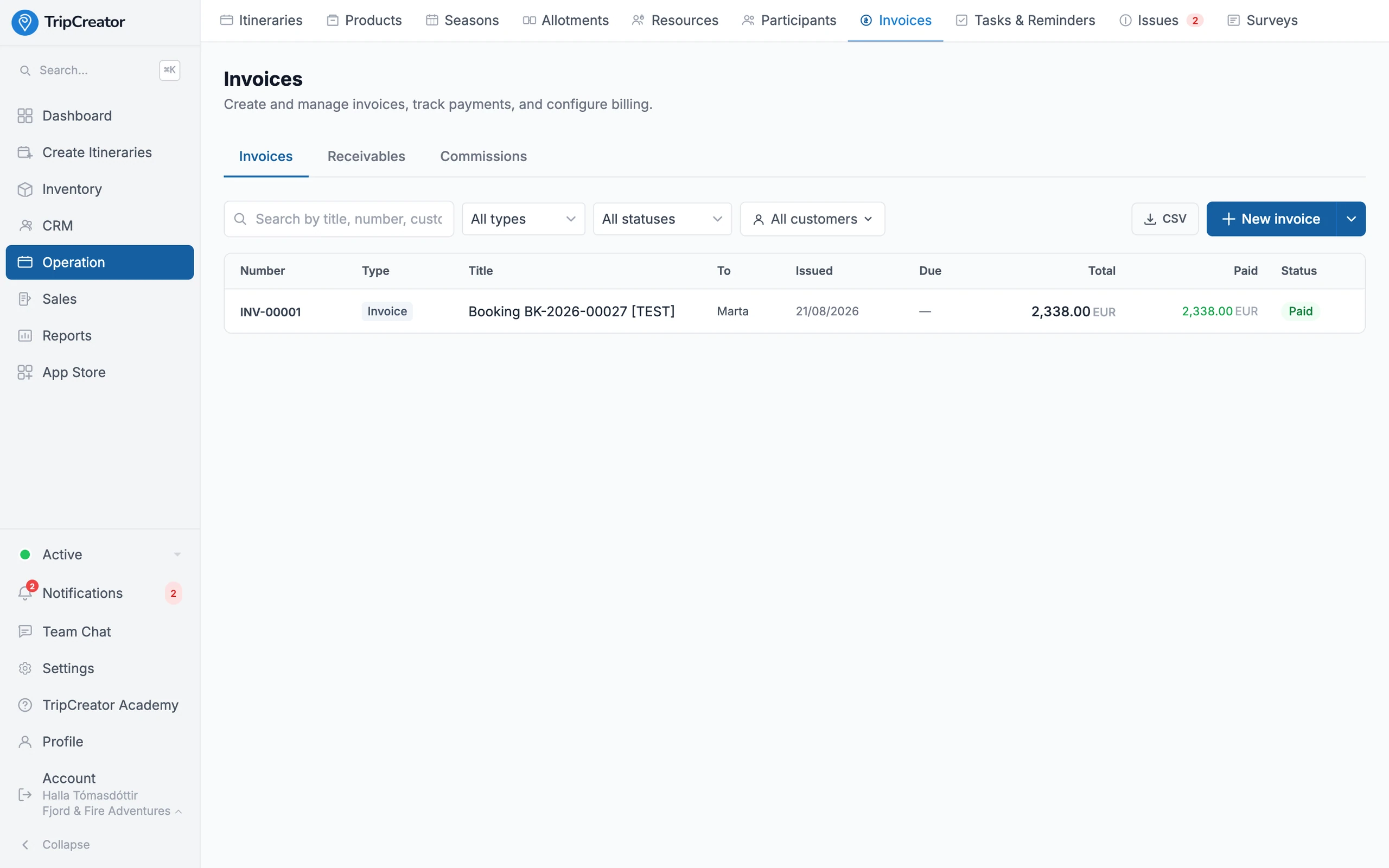
Invoice, collect and reconcile — payments tracked to each booking.
Payments & finance FAQ
- Does TripCreator take a commission on bookings?
- No. You keep 100% of your booking revenue — you pay only your payment gateway's own processing fees, never a cut to TripCreator.
- Which payment gateways are supported?
- Stripe, PayPal, Flywire and Teya. You can route each currency to a specific gateway with a default fallback, so customers pay in a way that suits them and settles to you.
- Can I take a deposit and collect the balance later?
- Yes. Attach an installment schedule and the engine collects a deposit at checkout, then invoices and reminds for the remaining balances on their due dates — automatically.
- What happens with a late booking after a due date has passed?
- Any overdue stages fold into a single amount due today, so nothing slips through, and any paid deposit is credited against future invoices.
- Do I have to connect Xero to reconcile?
- No — accounting sync is optional. If you connect Xero it's two-way: invoices, supplier bills and credit notes push across with tracking categories and VAT, and payment status syncs back in near real time. Prefer another accounting tool, or to reconcile payments manually in TripCreator? That works too — nothing forces you onto Xero.
The TripCreator podcast
Prefer to listen? There’s an episode on this
Episode 8 · 14 min
Let them book at 11pm
The trips you build in TripCreator can be booked and paid for on your own site.