
All your channels, one thread per customer
Stop stitching a conversation together from an inbox, a phone and a chat widget. It's all here, in context.
Connect your own Gmail or Microsoft 365 (Outlook) mailbox and send and receive from your real address, so replies land in your own Sent folder and threads stay intact.
WhatsApp Business
Message customers on the channel they actually reply to — right from the shared inbox, with consent tracked in the CRM.
Live chat
Answer website and proposal enquiries in the same place as everything else, with full history attached.
Linked to the trip & contact
Every thread is tied to the customer's record and their itinerary, so anyone picking it up has the full picture.
SLA & automation rules
Auto-assign, tag, pin and route conversations, and hold your team to response-time targets automatically.
AI assist
Draft a reply from the thread, adjust the tone, translate it into the customer's language, or summarise a long conversation in a click.
How a conversation flows
From first message to a tracked, on-record reply — without leaving the platform.
- 1Message arrivesEmail · WhatsApp · chat
- 2Unified inboxOne thread per customer
- 3Auto-assign & SLARules route it
- 4Reply with AI assistDraft · translate · tone
- 5Synced to CRM & SentNothing lost
Why teams run comms in TripCreator
Nothing falls through
Shared ownership, assignment and SLA rules mean no message sits unseen in someone's personal inbox.
Reply in any language
One-click translation lets a local team serve travellers worldwide in their own language.
Full context, full history
Because threads are attached to the trip and contact, every reply is informed — and every interaction is on record.
Faster, warmer service
AI drafts and templates get a solid reply out in seconds, so customers feel looked after.
See it in action
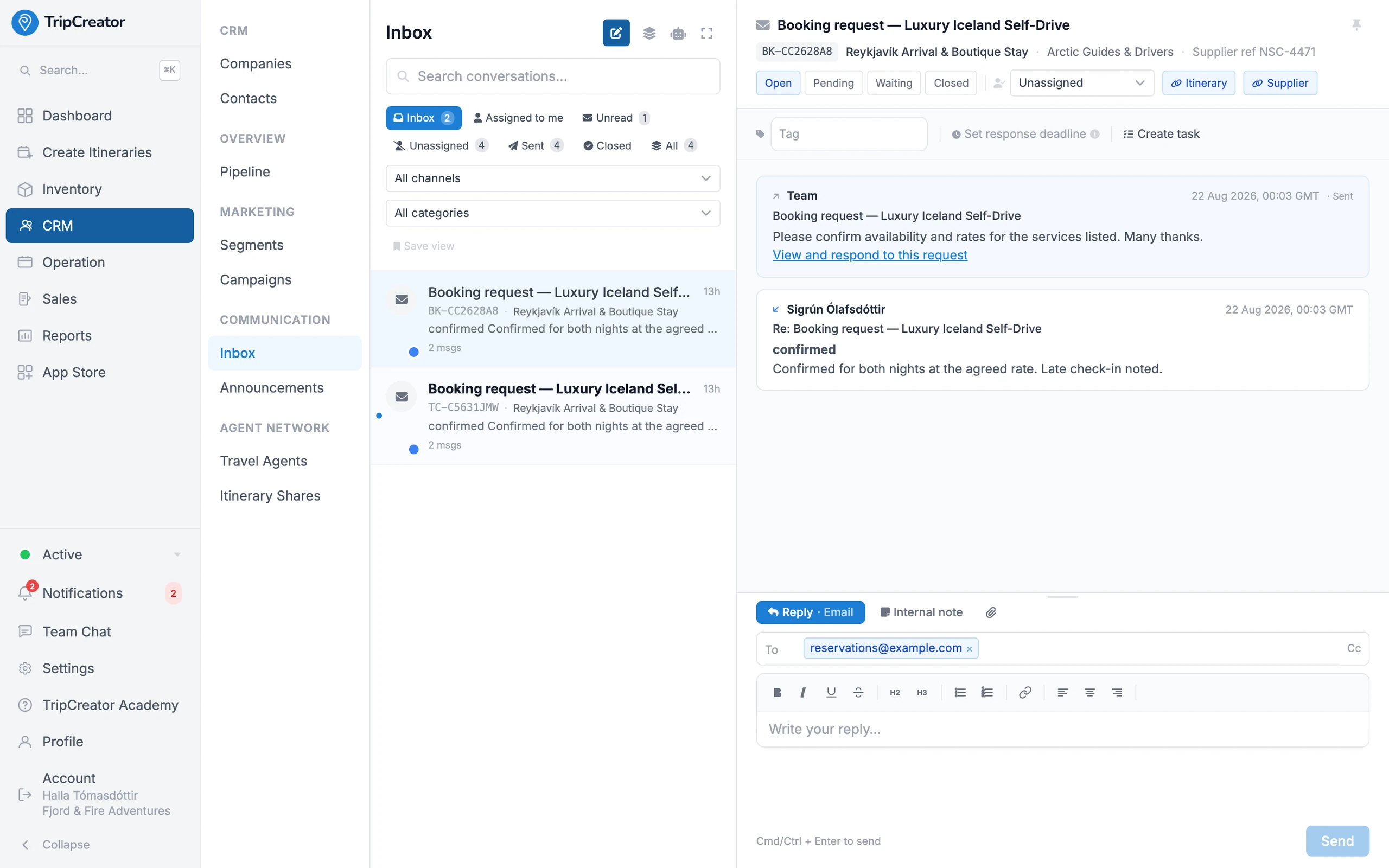
Every message in one inbox — email and chat, tied to the trip.
Communications FAQ
- Which channels are supported?
- Email from your own Gmail or Microsoft 365 (Outlook) mailbox — connected by secure OAuth, so replies land in your real Sent folder — plus WhatsApp Business and live chat, all in one shared inbox with each thread linked to the customer and their trip.
- Does it work with WhatsApp?
- Yes. Connect WhatsApp Business from the App Store and message customers on WhatsApp directly from the inbox, with opt-in consent tracked against the contact in the CRM.
- What can the AI do here?
- Draft a reply from the conversation, rewrite it or change its tone, translate it into the customer's language, and summarise long threads — all as suggestions you review before sending.
- Can I assign conversations and set response targets?
- Yes. Automation rules auto-assign, tag, pin and route threads, and SLA rules track response times so the team hits its targets.
- Is the conversation linked to the customer's trip?
- Always. Every thread is attached to the contact record and the relevant itinerary, so anyone on the team has the full history and context when they reply.