
Everything you plug in
Activated from the App Store, configured per workspace, and working inside the itineraries and operations you already run.
Live supplier booking
Search and book real inventory inside an itinerary — hotels via RateHawk, rental cars and properties via Travia, and experiences via Bókun.
Payments
Take secure payments with Stripe, PayPal, Flywire and Teya, routed by currency. TripCreator takes no commission on your bookings.
Two-way accounting
Sync invoices, supplier bills and credit notes to Xero — with tracking categories, VAT breakdowns and near-real-time reverse sync of payment status.
Messaging & email
Connect your Gmail or Microsoft 365 (Outlook) mailbox to send and receive customer email in the shared inbox, add WhatsApp Business, and run bulk delivery and campaigns through SendGrid and Mailchimp.
AI
Bring your own OpenAI key to power Import with AI, content writing, translation and messaging — with per-workspace cost controls.
Maps, places, FX & flights
Google Maps and Places, live currency rates via CurrencyLayer, flight tracking via Cirium, and editable exports via CloudConvert — built in.
Connecting an integration
Most take a couple of minutes: turn it on, authorise it, and it's live where you work.
- 1Open the App StoreInside your workspace
- 2Enable the appAPI key or OAuth
- 3ConfigureMap accounts & options
- 4Use it liveSearch & book in itineraries
- 5Syncs both wayse.g. Xero, near real-time
One hub, connected to your stack
Turn on what you need from the App Store and TripCreator becomes the hub your suppliers, payments, accounting, messaging and AI all plug into.
- RateHawkLive hotels
- TraviaCars & properties
- BókunExperiences
- XeroTwo-way accounting
- Stripe · PayPal · Flywire · TeyaPayments
- WhatsAppMessaging
- SendGrid · MailchimpEmail
- OpenAIAI
- GoogleMaps & Places
- Microsoft 365Outlook email
Why it matters
Book without leaving the trip
Live supplier integrations mean you search availability and reserve inventory inside the itinerary — no second tab, no re-keying.
Accounting stays in sync
Two-way Xero keeps invoices, bills and payment status aligned automatically, so finance isn't reconciling by hand.
You own the connections
Keys are stored encrypted, scoped per workspace, and yours to revoke — including your own OpenAI key for AI features.
Extend it yourself
The Open API and webhooks let your developers connect anything the App Store doesn't already cover.
See it in action
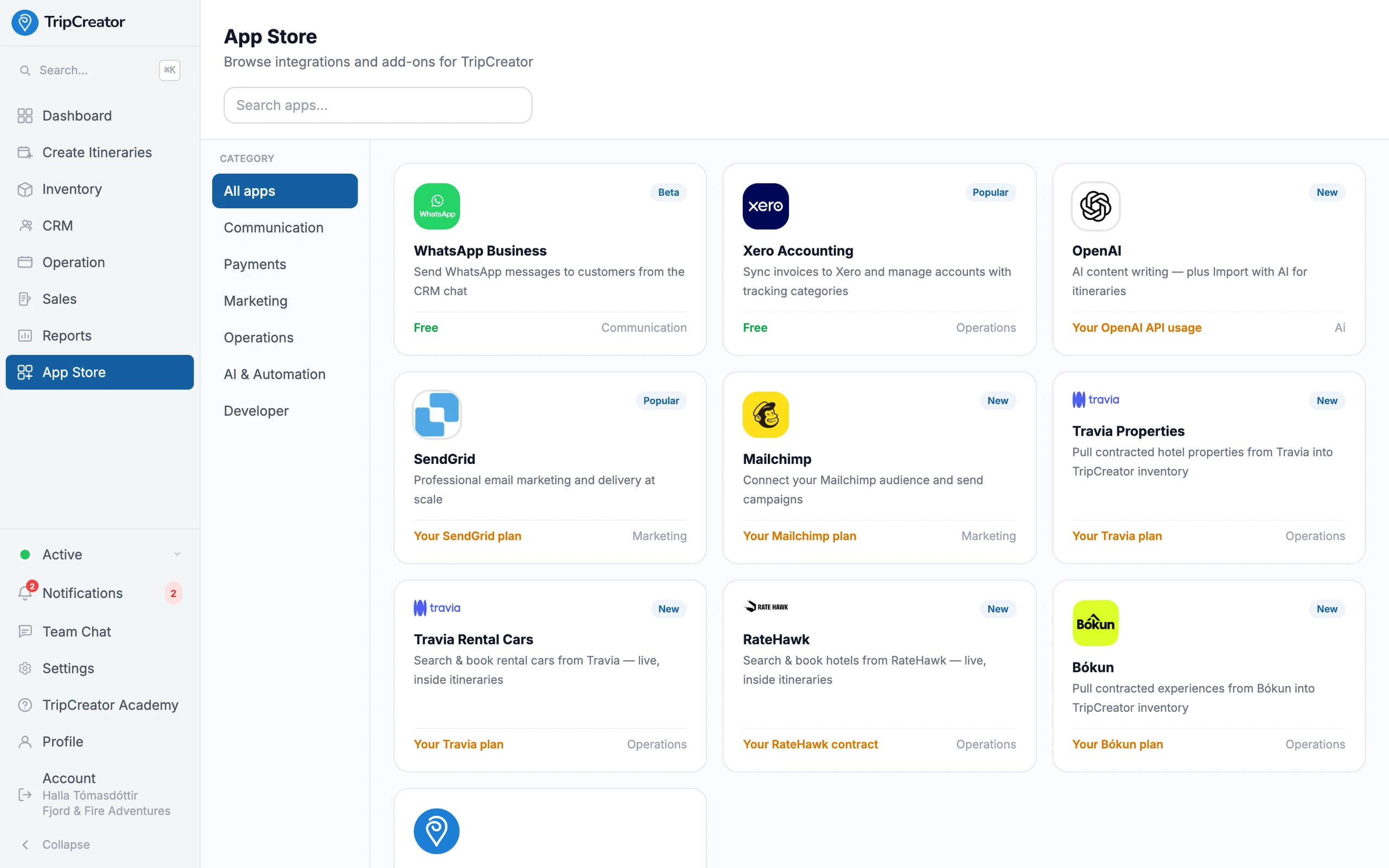
An App Store of integrations — connect the tools you already use.
Integrations FAQ
- How do I turn an integration on?
- From the App Store inside your workspace. Most activate in a click or with an API key or OAuth connection, then you map any accounts or options — and it's live where you work.
- Which payment gateways are supported?
- Stripe, PayPal, Flywire and Teya, routable by currency with a default fallback. TripCreator takes no commission on your bookings.
- How deep is the Xero integration?
- Two-way. Invoices, supplier bills and credit notes push to Xero with tracking categories and VAT breakdowns, and payment status syncs back in near real time.
- What does 'live supplier booking' mean?
- For connected suppliers — RateHawk hotels, Travia rental cars and properties, Bókun experiences — you search real availability and book it directly inside the itinerary, rather than pulling a static catalogue.
- Can I build my own integration?
- Yes. The Open API (v4) and webhooks let your team connect systems the App Store doesn't already cover. Full documentation is on the developer site.
Example itineraries
Real itineraries built on TripCreator — open one to explore.